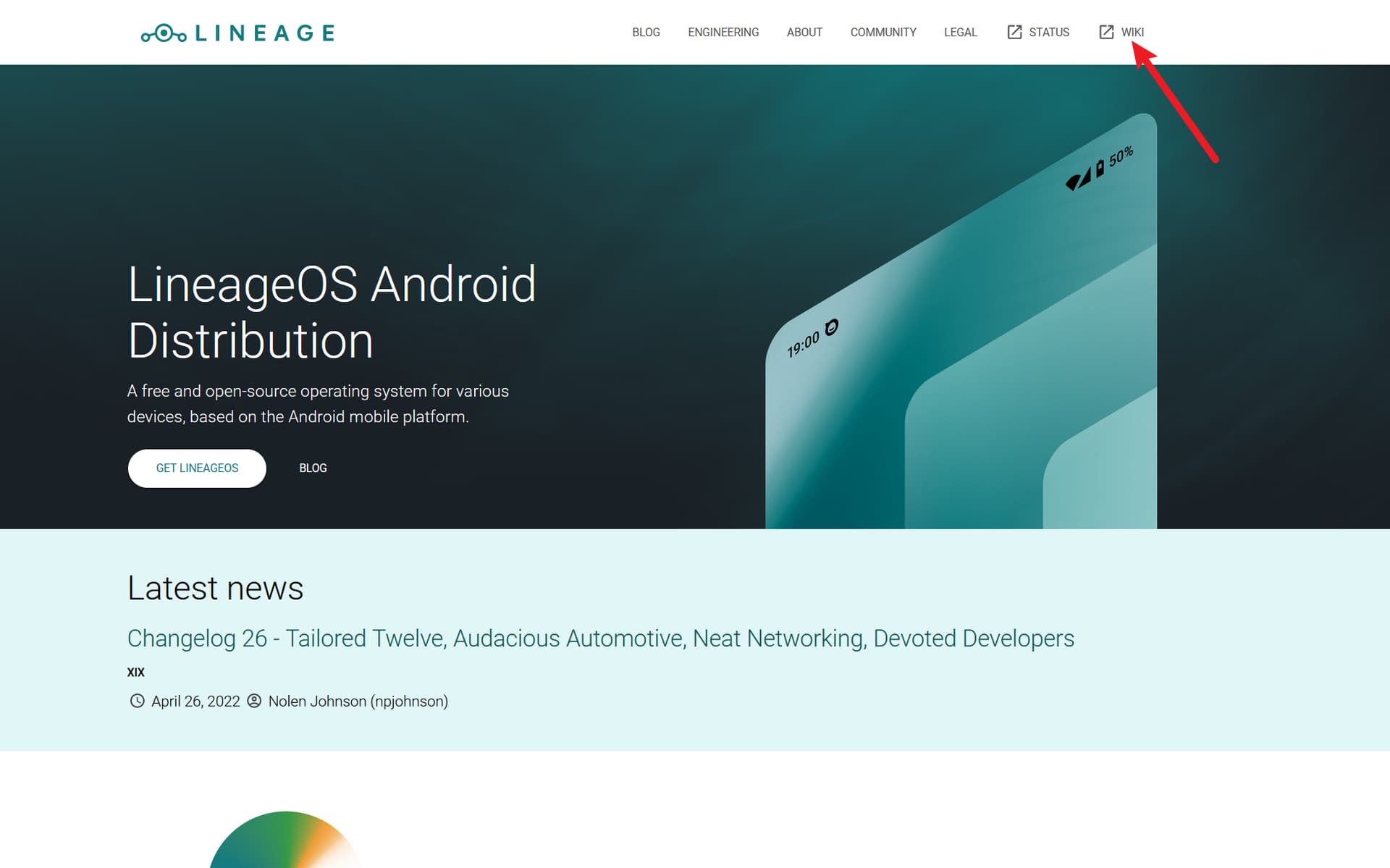
官网镇楼:

我第一次刷 Lineage 是在腐竹的帮助下,当时我还是 Android 10,我从 Android 10 更新到 Android 11的时候记得还很顺利,昨天我准备更新系统,从 Lineage 18 更新到 Lineage 19,同时也是从 Android 11 更新到 Android 12,我进入 Recovery 之后直接 adb sideload,但是跨版本更新可能遇到了问题,刷成砖了,于是直接整个重刷一遍,更新到 Lineage 19.1 Android 12。
写这篇帖子,一是推广 Lineage OS 这款优秀的开源 Android 系统,UI 使用非常顺手,而且刷完就获得了谷歌全家桶 + Magisk,体验非常自由;二是过程中遇到了一些坑,记录下来帮大家避开。
1 个赞
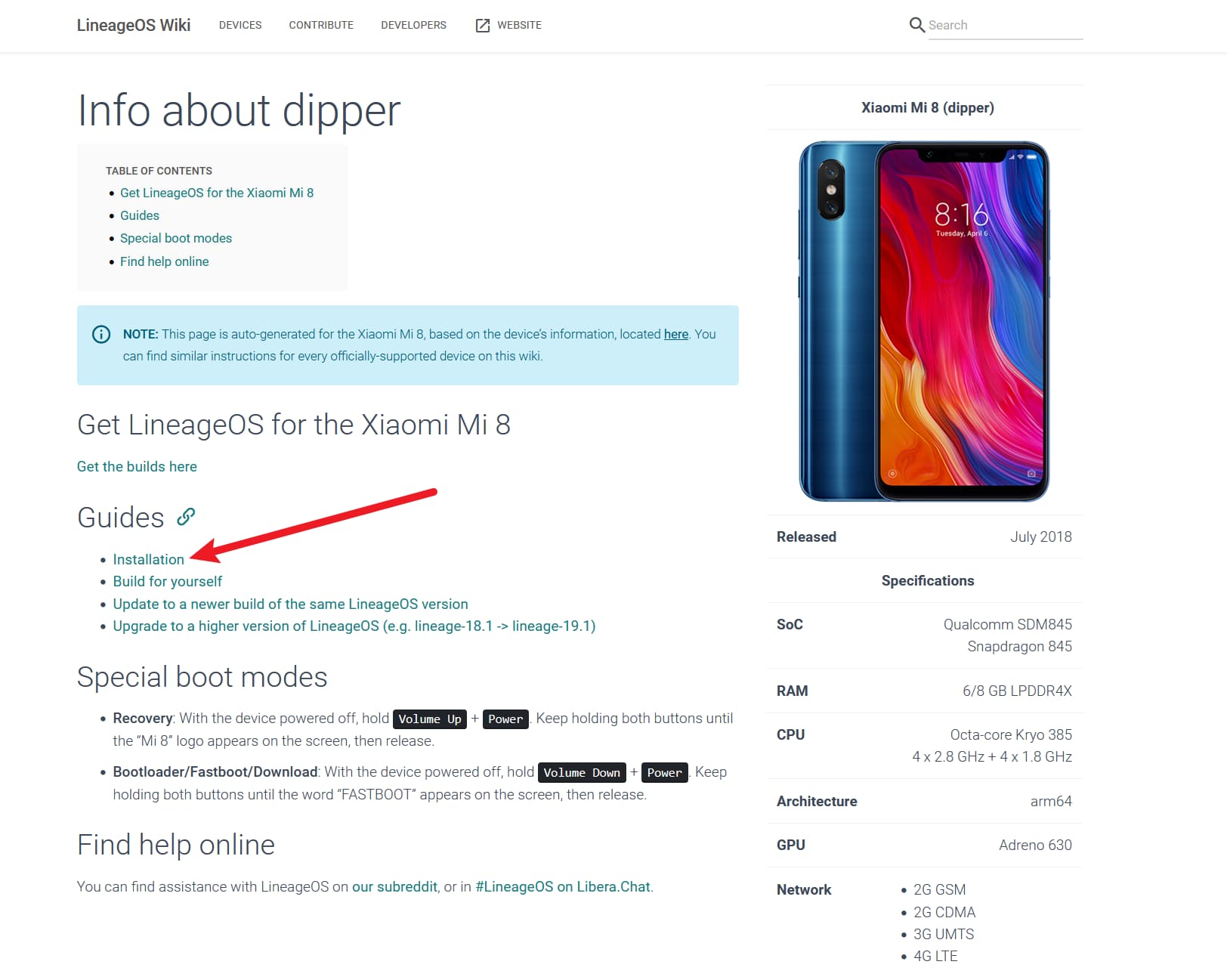
1. 点击上方 Wiki
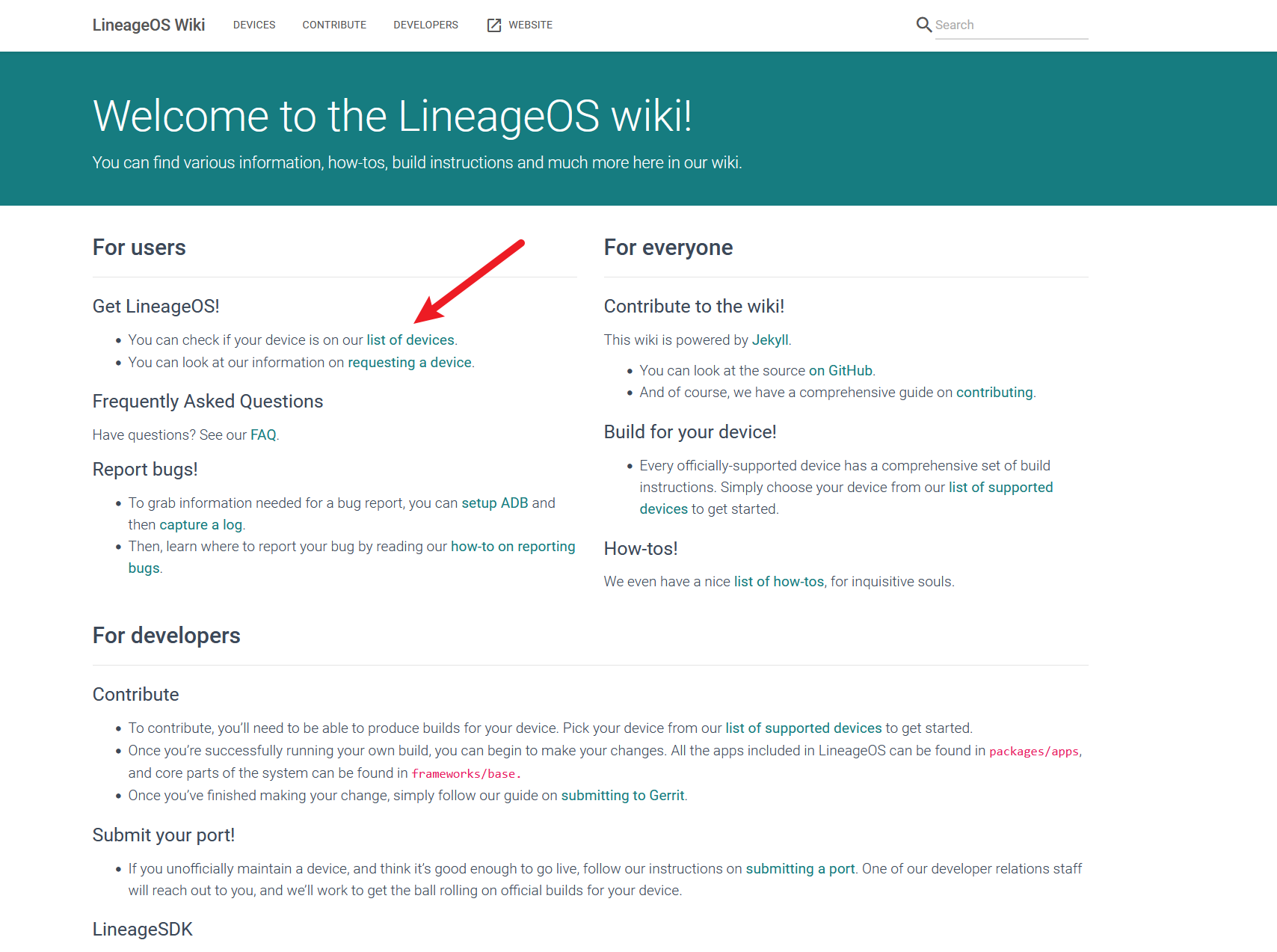
2. 点击 list of devices
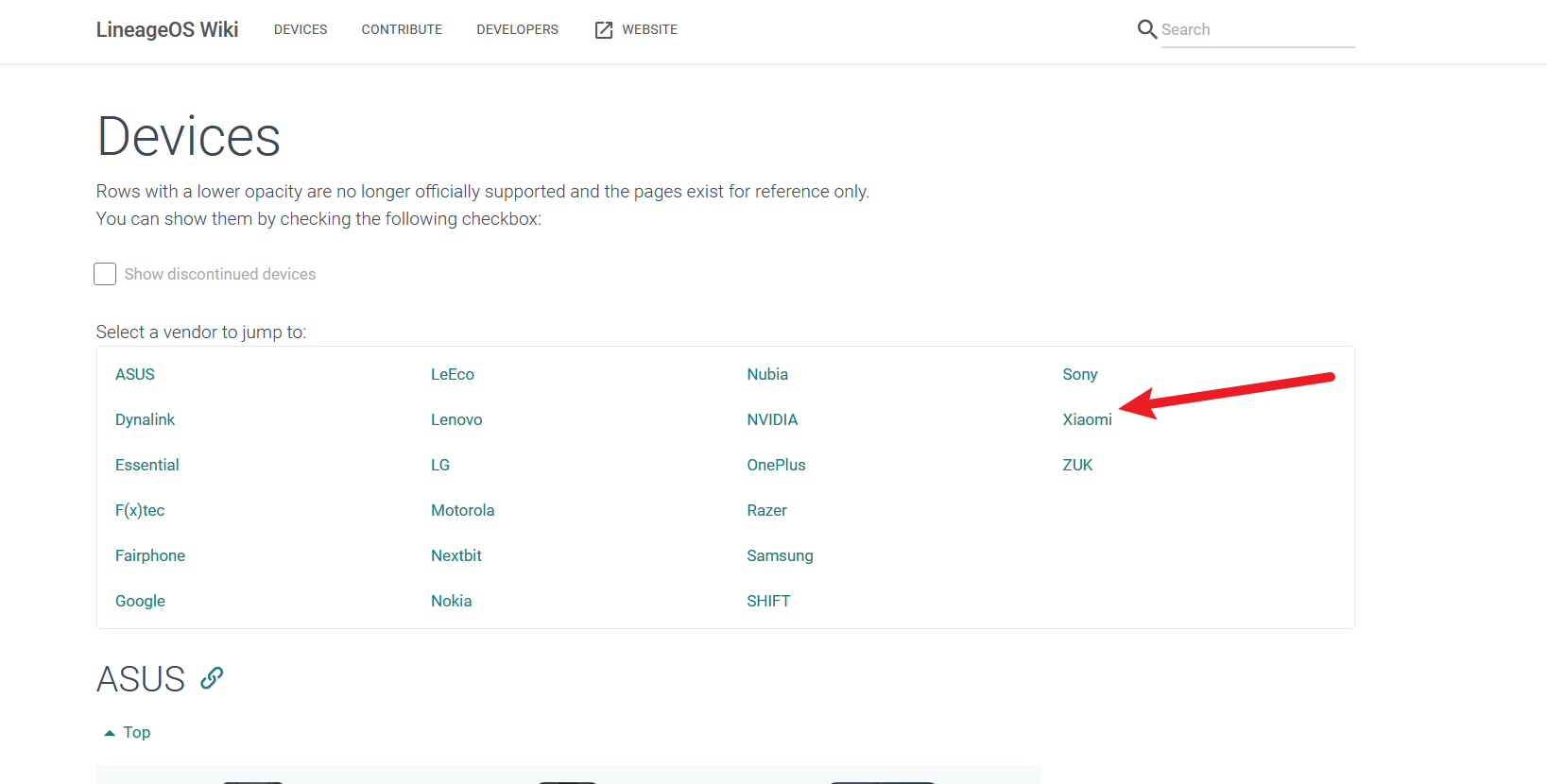
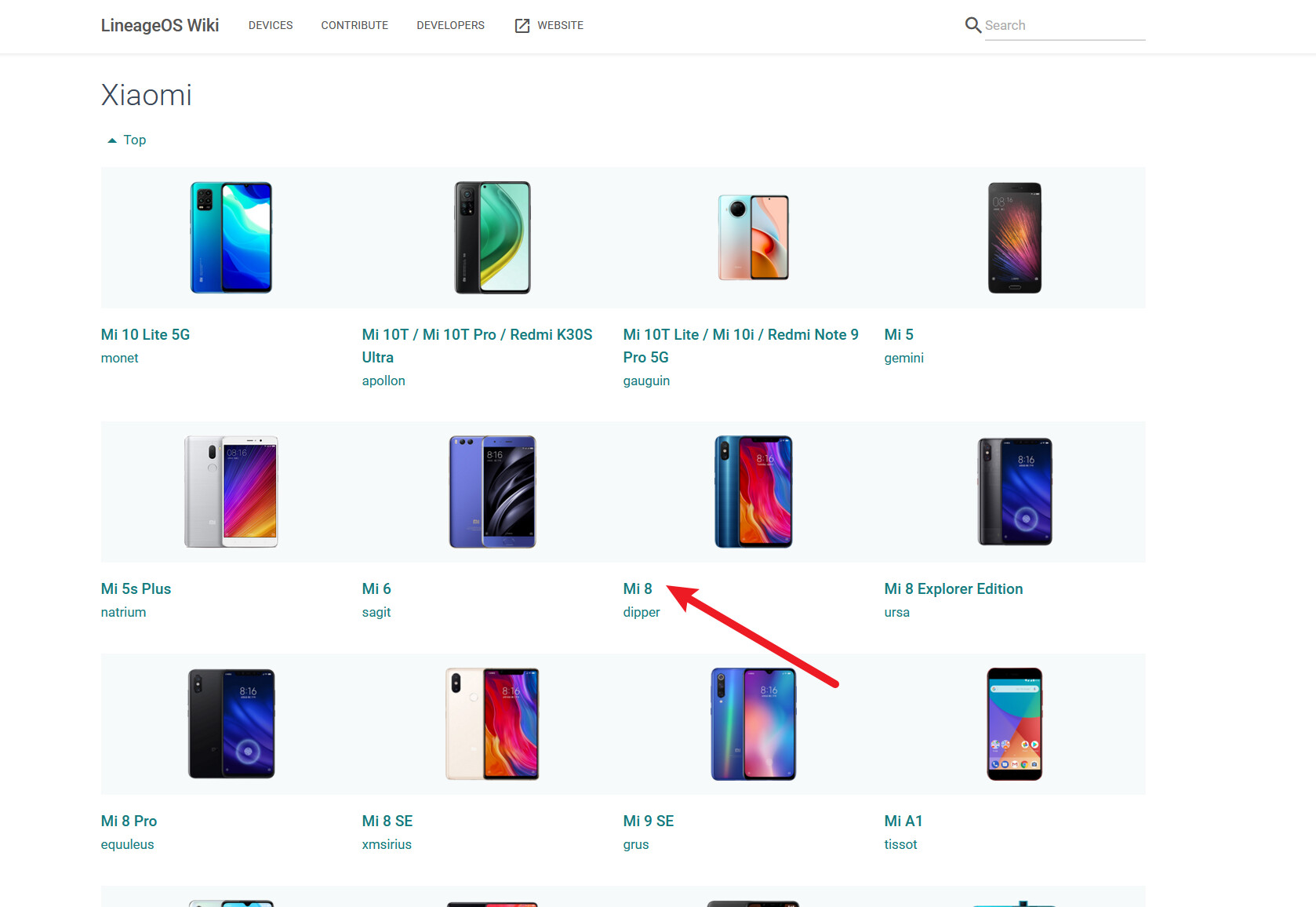
3. 选择自己的品牌、机型
每个机型都会有个名字,比如 Lineage 中小米8叫做 dipper
4. 点击 Installation
5. 照着官方教程做即可
一般分为几大部分:
- Unlocking the bootloader
很多手机厂商锁了 bootloader,有的厂商给了官方解锁工具(如小米),可以很方便的解锁
- Installing a custom recovery using
fastboot
刷 Lineage 的 Recovery,这个 Recovery 的功能对于一般操作来说都足够了
- Installing LineageOS from recovery
在上面刷的Recovery中,首先进行“四清”(清理 data / factory 和 cache 叫做“三清”,再加上"system"叫做“四清”),然后正式开始刷系统,先刷 LineageOS,然后刷 mtgapps (谷歌全家桶),刷完 reboot 即可
安装 Magisk
Prerequisites:
- LineageOS recovery + LOS already installed (so you can use Magisk app to patch recovery.img)
- working adb, fastboot, and so on
- download Magisk-vxxx.apk from GitHub - topjohnwu/Magisk: The Magic Mask for Android (从这里下载最新的 release apk 包)
- download lineage-xxx-*-recovery-dipper.img from LineageOS Downloads (dipper 是我的小米8的页面,各位用自己手机的页面即可,解压 LineageOS installation package 的 zip 包里面就有 boot.img 取这个 img 即可)
Basing steps on Installation | Magisk
- Copy recovery-dipper.img to phone; I used ‘adb push lineage-xxx-recovery-dipper.img /sdcard/Download/dipper.img’ to do this
- Open Magisk app and select Install for Magisk near the top
- Use ‘Select and Patch a File’ method, finding and selecting the dipper.img file
- Click LET’S GO and let it finish.
- Retrieve the image from the phone; I used ‘adb pull /sdcard/Download/magisk_patched-[random-strings].img ~/patchedboot.img’
- Reboot phone to bootloader by running ‘adb reboot bootloader’
- Flash patched image via ‘fastboot flash boot ~/patchedboot.img’
- Reboot into system via ‘fastboot reboot’
- Proceed to installing modules.
当然你也可以看 Magisk 的 Github 文档进行安装,我觉得官方文档在操作细节上没有过多说明,所以附了这一段操作流程。
按照上面的步骤装好 Magisk 后,在 Magisk 中启用 Zygisk,再在 GitHub 上下载 LSPosed 的 zip 包并在 Magisk 中安装启用,你就可以安装体验各种 XPosed 系列的插件了(如QNotified、ClearLineage、微X模块 等)。